
Project Manager
Overview
The Project Manager page gives users a broad view of projects in various stages and allows users to manage and track projects and tasks that are in need of attention.
Tab Groups
Projects are grouped in the following tabs:
Tab | Description |
|---|---|
In Production | Ready or In Progress project status |
Drafts | Draft project status |
Completed | Completed project status |
On Hold | On Hold project status |
Cancelled | Cancelled project status |
Templates | Template project status |
All | All projects |
Asset Status Overview
The status overview columns provide a quick look at the progress of tasks grouped by Asset Type. Hovering on them shows a popover with a list of Tasks and their associated statuses.
Status Overview
Clicking the Show Tasks chevron on the project and then clicking the Status Overview tab displays a list of all tasks in the project. Here you can update information pertaining to all tasks, including Location, Assignment, Task Status, and Due Dates. You can also access the task in its Department page directly from the list.
Asset & Task Detail
Clicking the Show Tasks chevron on the project and then clicking the Asset & Task Detail tab displays a list of all tasks in the project grouped by Asset. Here you can update information pertaining to all tasks, including adding Rate Cards, Task Dependencies, new Assets, and New Tasks. You can also access the task in its Department page directly from the list.
Edit Mode
Edit Mode allows you to edit Project details quickly and even multiple Projects' details at the same time. Clicking the Edit Mode button will show a checkmark indicating that it is active. After clicking the button again, any changes that were made will be saved.
Adding New Projects
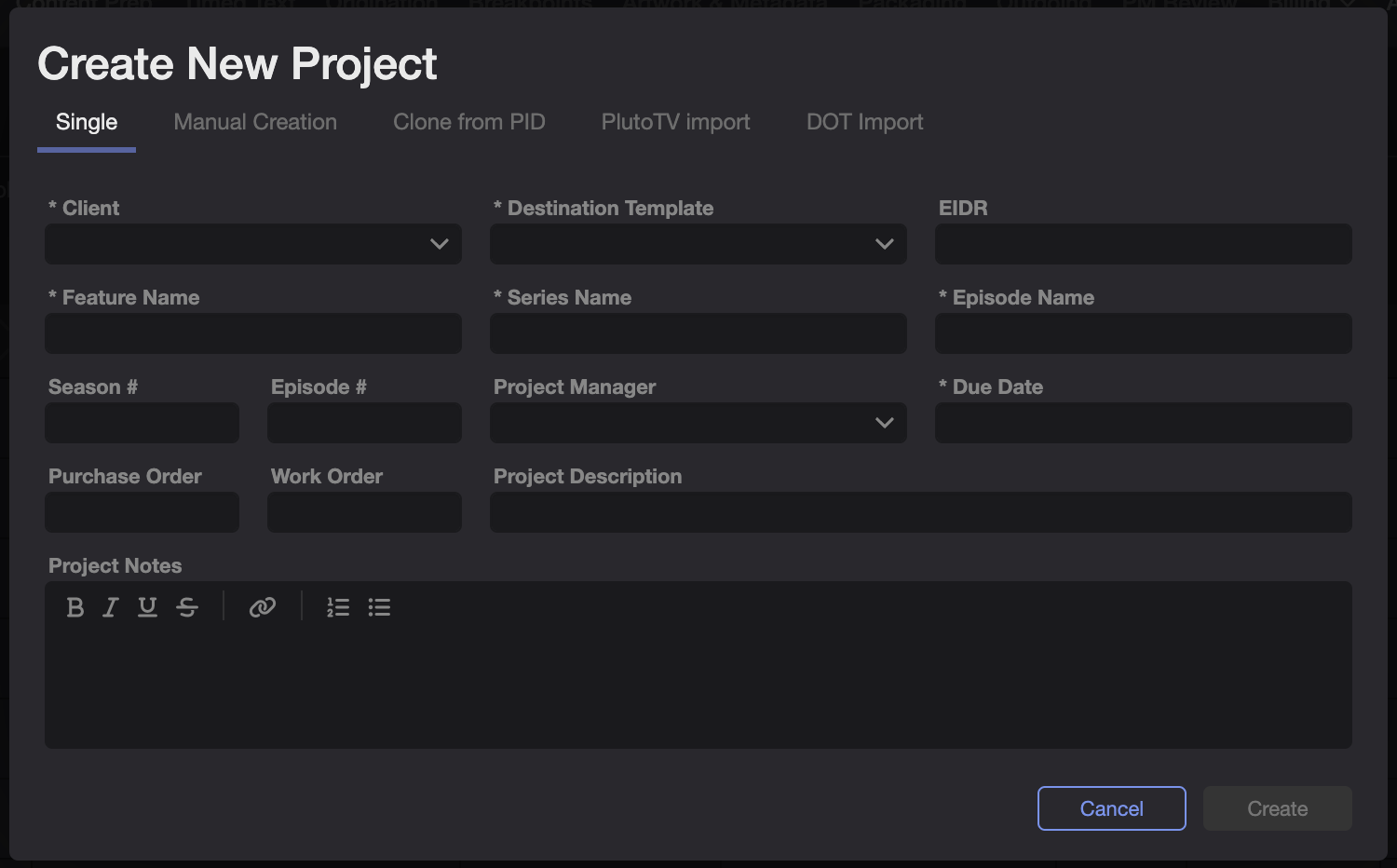
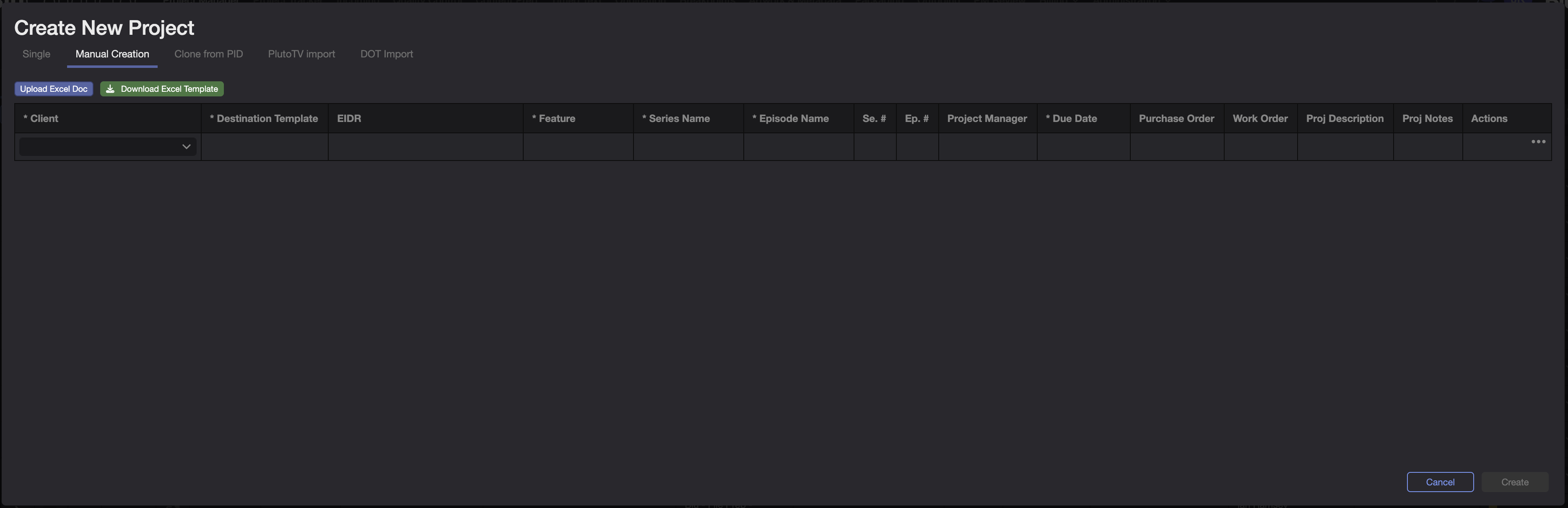
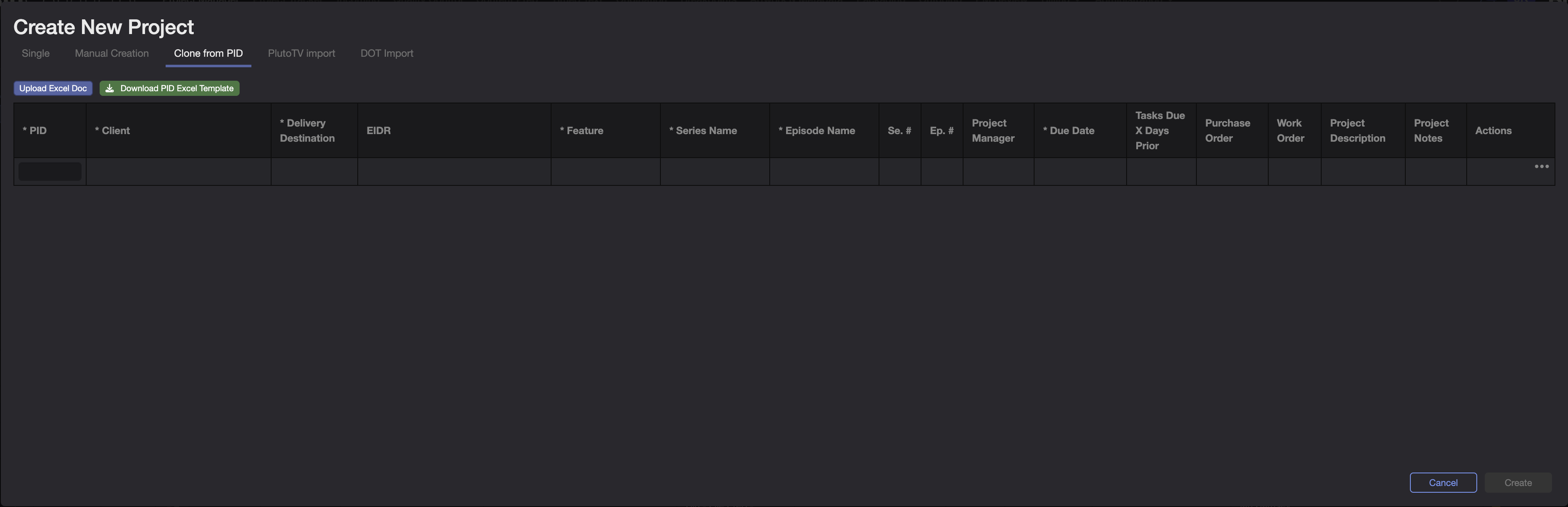
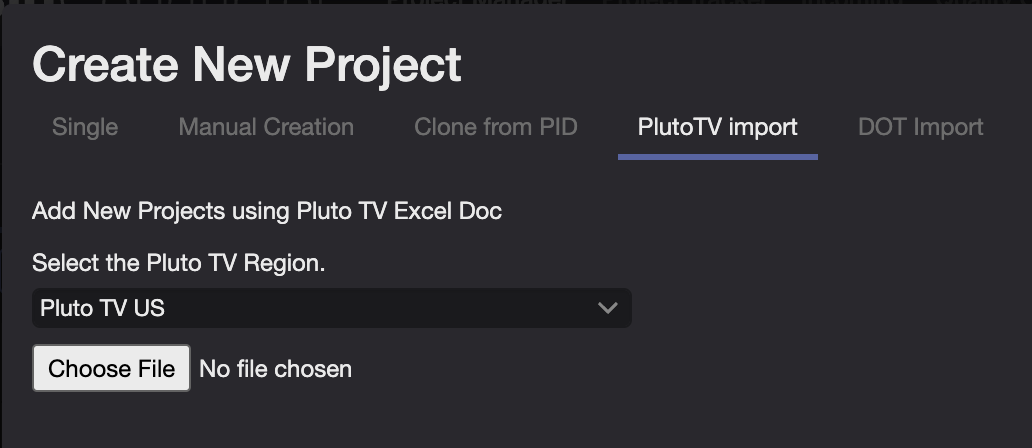
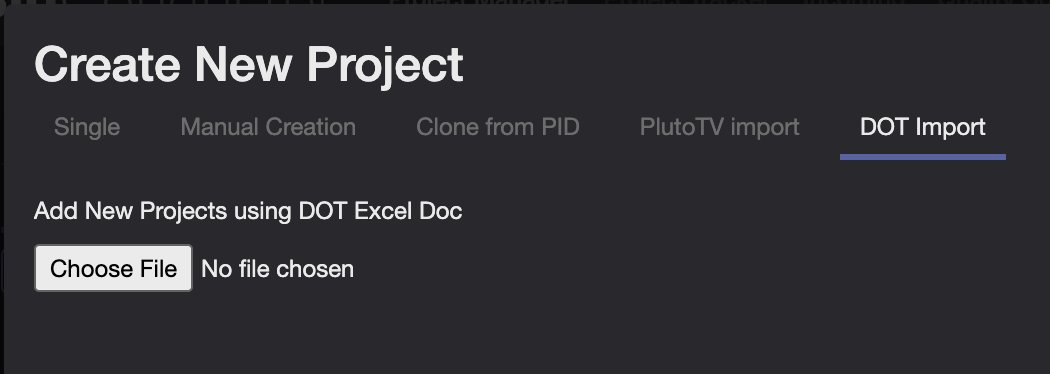
New Projects can be added with various methods:
Single
Manual Creation
Clone from PID
PlutoTV Import
DOT Import
Files Modal
See Asset Management
Bulk Updates
Project Summary Footer
The Project Summary footer gives a quick summary of important metrics, including # of Projects in the tab, TRT, Overdue Projects, Overdue Tasks, Urgent Projects, Blocked Billing Tasks, and Tasks with Issues.